



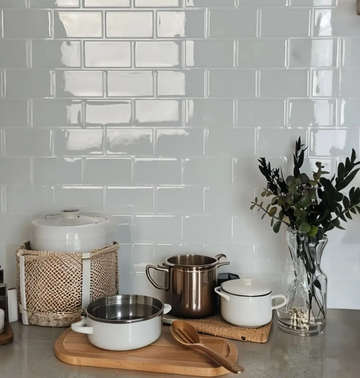

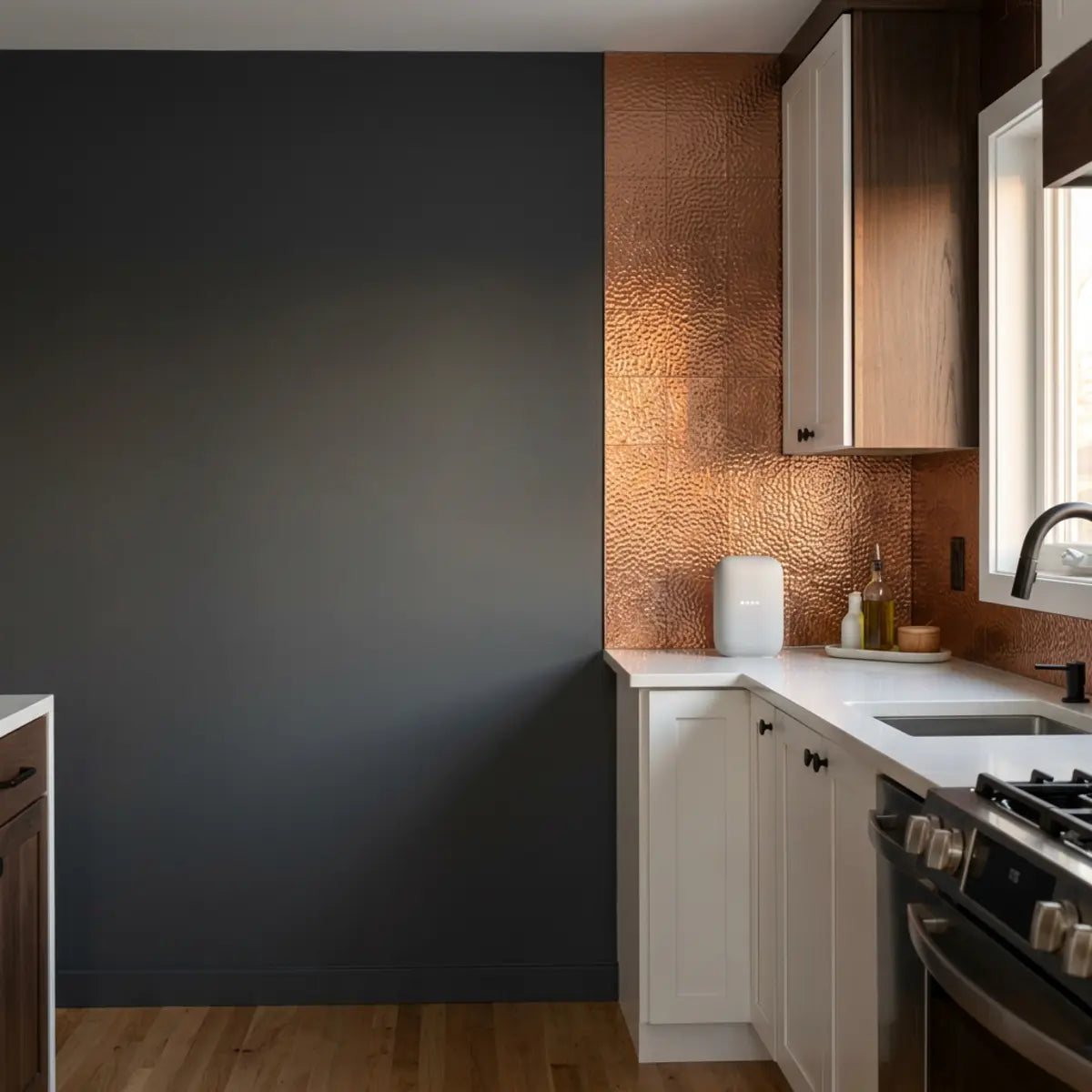
Por fin instalas ese impresionante salpicadero metálico. La cocina se ve increíble. Luego enchufas tu cafetera inteligente y el WiFi cae. Se instala una ansiedad familiar. ¿Acabas de pegar un enorme escudo que bloquea la señal en la pared de tu cocina?
Escuchamos esta preocupación específica constantemente. Las cocinas modernas están llenas de dispositivos conectados. Desde refrigeradores inteligentes hasta asistentes de voz, tu red doméstica está trabajando al máximo en este espacio. Los propietarios temen que añadir azulejos metálicos peel and stick corte al instante estas conexiones.
El espacio culinario moderno ya no es solo un lugar para preparar comidas; es un centro tecnológico altamente integrado. Las casas inteligentes de hoy dependen de una delicada red invisible de frecuencias de radio para automatizar la iluminación, supervisar la temperatura de cocción, transmitir recetas en alta definición e incluso gestionar inventarios de comestibles directamente desde la puerta del refrigerador. Cuando introduces un material nuevo, potencialmente conductor, en este delicado ecosistema, la preocupación está totalmente justificada. La dinámica de radiofrecuencia (RF) es compleja, y el atractivo estético de un salpicadero nuevo y brillante no debería ir en detrimento de tu comodidad digital.
En lugar de adivinar, decidimos medir el impacto exacto. Sustituimos las vagas suposiciones decorativas por pruebas empíricas.
En nuestra prueba real, los azulejos metálicos peel and stick no suelen bloquear el WiFi por sí solos. Sin embargo, sí pueden contribuir a un peor rendimiento cuando se combinan con una mala ubicación del router, esquinas, electrodomésticos o una cobertura ya limitada.
La métrica clave es la Delta de Fiabilidad de la Señal. Esto mide el cambio antes y después en RSSI, velocidad, latencia y estabilidad de los dispositivos inteligentes tras la instalación de los azulejos. La mayoría de los propietarios debería probar la ubicación antes de instalar, en lugar de evitar por completo los azulejos metálicos.
Conclusiones Inmediatas Para La Cocina Conectada
Estos son los puntos clave que debes entender de inmediato:
-
•
El Material Importa: Los azulejos con aspecto metálico varían mucho según el material y la base. Muchos son simplemente vinilo.
-
•
Diferencias De Banda: 2.4 GHz generalmente tolera mejor los obstáculos que 5 GHz, pero se enfrenta a más congestión por electrodomésticos.
-
•
La Distribución Domina: La ubicación del router o del nodo mesh importa mucho más que el salpicadero en la mayoría de las cocinas.
Esta guía describe nuestro caso completo de estudio sobre interferencias. Te mostraremos exactamente cómo medir tu red y asegurar que tu cocina con estilo siga totalmente conectada.
El Mito
"Cualquier cosa que parezca metal creará al instante una jaula de Faraday en mi cocina y bloqueará todos mis dispositivos inalámbricos."
La Realidad
Que parezca metálico no siempre significa que bloquee la señal. A menos que una superficie sea de metal sólido, grueso y continuo que envuelva por completo un dispositivo, la reflexión localizada rara vez provoca un fallo total de la red.

¿Los azulejos metálicos peel and stick realmente interfieren con el WiFi?
¿Alguna vez te ha preocupado que una pared de cocina nueva y brillante se convierta en una fortaleza que bloquea la señal?
En esta sección desglosamos los datos exactos sobre cómo los acabados metálicos afectan el alcance de tu router, separando el miedo infundado de la ciencia medible.
Los azulejos metálicos peel and stick rara vez actúan como bloqueadores totales de la señal. Un salpicadero de cocina estándar es relativamente pequeño. No crea un recinto completo alrededor de tus dispositivos.
Para entender esto, hay que ver cómo funciona una verdadera jaula de Faraday. Una jaula de Faraday requiere un recinto continuo de material conductor diseñado para bloquear campos eléctricos estáticos y no estáticos externos. Para que un salpicadero de cocina alcance ese nivel de aislamiento, el metal tendría que cubrir las paredes, el techo, el suelo y envolver sin interrupciones el propio dispositivo inteligente. Una franja estándar de azulejo de 18 pulgadas de alto entre la encimera y los armarios altos simplemente no tiene ni la superficie ni la geometría para captar y neutralizar todas las ondas de radio entrantes.
Sin embargo, el metal es conductor. Las superficies metálicas reales pueden reflejar o absorber ondas de radiofrecuencia (RF). La pregunta no es si existe interferencia, sino si altera tu vida diaria.
Cuando una onda RF golpea una superficie conductora, pueden ocurrir tres cosas: transmisión, absorción o reflexión. Con el metal sólido real, la transmisión es casi nula. La absorción es mínima. La acción principal es la reflexión. Las ondas rebotan en la cara metálica como la luz al reflejarse en un espejo. Esto crea un fenómeno conocido como “interferencia por multitrayecto”. La señal original y la señal reflejada llegan a la antena del dispositivo inteligente en momentos ligeramente distintos, lo que puede confundir al receptor. Los protocolos modernos de WiFi (como 802.11ac y 802.11ax) usan en realidad varias antenas para aprovechar las reflexiones multitrayecto, pero los smart plugs más antiguos y económicos podrían tener dificultades para decodificar los flujos de datos superpuestos.
Para responder a esto, debemos alejarnos de observaciones subjetivas como “el internet se siente lento”. Nos apoyamos en una evaluación estandarizada.
La Delta de Fiabilidad de Señal (SRD)
¿Cansado de adivinar si una nueva elección decorativa está arruinando tu conexión?
Esta sección presenta una base matemática definitiva para medir exactamente lo que está ocurriendo en tu red.
Al evaluar la atenuación RF, la metodología fundamental exige una adhesión estricta a métricas medibles. Usamos la Delta de Fiabilidad de Señal (SRD).
La SRD es la base cuantitativa que compara el estado de la red antes y después de un cambio ambiental. Registra puntos de datos específicos y empíricos. No basta con mirar las “barras de WiFi” en la barra de estado de tu teléfono, ya que las define de forma arbitraria el fabricante del teléfono y a menudo ocultan una inestabilidad subyacente considerable.
Métricas SRD Principales A Seguir:
- RSSI (Indicador De Intensidad De Señal Recibida): El nivel de potencia estimado de una señal inalámbrica recibida, medido en decibelios (dBm). Cuanto más cerca de cero, mejor.
- Rendimiento: Las velocidades reales de descarga y subida alcanzadas.
- Latencia: El tiempo que tardan los datos en ir a un servidor y volver, medido en milisegundos (ms).
- Pérdida De Paquetes: El porcentaje de paquetes de datos que no logran llegar a su destino.
Consejo Profesional: Por Qué RSSI En dBm Es Crucial
Las barras de WiFi son engañosas. Son un gráfico simplificado, no una medición. RSSI (Indicador de Intensidad de Señal Recibida) utiliza una escala logarítmica de decibelios-milivatios (dBm). Como es logarítmica, una caída de solo 3 dBm significa que la potencia de la señal se ha reducido literalmente a la mitad. Una lectura de -50 dBm es fantástica. Una lectura de -70 dBm es débil, pero utilizable. Una lectura de -80 dBm significa que tu smart plug está a punto de desconectarse por completo de la red. Usa siempre una app analítica para leer los dBm reales antes y después de instalar un material denso en la pared.
Entender Los Materiales De Las Baldosas
¿Te confunden términos como “aluminio cepillado” y “acabado metálico”?
Esta sección revela la composición real de materiales de las baldosas más populares, evitando que te preocupes por un metal falso.
Un error común es pensar que todas las baldosas brillantes contienen metal. En realidad, la composición del material varía muchísimo. Debes mirar más allá del descriptor estético y examinar las especificaciones de ingeniería del producto que estás a punto de adherir a tus paredes.
Muchas baldosas con “aspecto de acero inoxidable” son simplemente PVC o vinilo extruido con una capa impresa de lámina metálica. Estas tienen un impacto estadísticamente insignificante en el WiFi. Carecen de la masa y la conductividad necesarias para reflejar la energía RF de forma significativa. Una impresión de alta resolución de acero cepillado se comporta igual que una impresión de una baldosa blanca tipo subway cuando recibe una onda de radio de 2.4 GHz.
Otros productos premium cuentan con caras reales de aluminio cepillado unidas a núcleos compuestos. Aun así, la cara de aluminio es increíblemente delgada. A menudo, esta chapa metálica mide menos de 0.5 milímetros de grosor. Aunque es muy conductora en su superficie, su masa total es mínima en comparación con el acero pesado de un refrigerador o el cobre denso de las tuberías ocultas detrás del drywall.
Al evaluar la composición del material, la metodología fundamental requiere una estricta adhesión a la compatibilidad ambiental. Un compuesto bien diseñado aporta impacto visual sin crear una barrera impenetrable. El marco integral detallado en las especificaciones de Marble Hive proporciona la referencia cuantitativa necesaria para implementar paredes elegantes y muy texturizadas sin una falla crítica de la señal. Su naturaleza compuesta neutraliza de forma inherente la reflexión extrema de RF que se observa en las láminas de metal sólido. Mediante una construcción de múltiples capas, estas baldosas premium absorben microvibraciones y gestionan la expansión térmica, al tiempo que permiten suficiente penetración de ondas RF para mantener en línea las pantallas inteligentes de su encimera.
Además, la durabilidad de estas superficies compuestas desempeña un papel en la satisfacción a largo plazo. Si está investigando a fondo la integridad estructural de sus materiales de pared más allá de las implicaciones de la señal inalámbrica, le recomendamos encarecidamente leer cómo garantizamos la durabilidad. Probamos La Resistencia A Los Arañazos En Baldosas De Pared Compuestas para ofrecer a los lectores pruebas en lugar de promesas: una metodología de prueba transparente de arañazos y abrasión, puntuación práctica por acabado y orientación lista para decidir para cocinas de alto tránsito.
| Tipo De Material | Conductividad De RF | Riesgo De Bloqueo De Señal | Notas |
|---|---|---|---|
| Panel De Acero Inoxidable Sólido | Muy Alto | Alto | Actúa Como Un Reflector Altamente Eficiente. Puede Causar Graves Problemas De Multitrayectoria. |
| Compuesto Con Frente De Aluminio | Moderado a Alto | Moderado | La Delgada Superficie Metálica Refleja Algunas Ondas, Pero Los Espacios Entre Las Baldosas Rompen La Barrera Continua. |
| Vinilo Con Reverso De Lámina | Bajo | Bajo | La masa mínima limita las capacidades reflectantes. Seguro para la mayoría de los entornos. |
| PVC Con Impresión Metálica | None | None | Solo Es Tinta. Cero Impacto En Cualquier Frecuencia Inalámbrica. |
Nuestra Prueba De Interferencia En El Mundo Real
¿Se pregunta cómo funcionan realmente estas baldosas en un hogar normal?
Esta sección desglosa nuestro entorno de prueba empírica y los dispositivos específicos que monitorizamos.
Para generar un resultado determinista, probamos una instalación real. El lugar de prueba era una cocina residencial estándar de U.S. con construcción de paneles de yeso, de aproximadamente 12 by 15 feet. Nos aseguramos de que el entorno reflejara condiciones del mundo real, dejando activos durante la prueba los electrodomésticos estándar (un refrigerador de acero inoxidable, un microondas y un lavavajillas).
El router (una unidad compatible con WiFi 6 de 802.11ax) estaba ubicado a 25 feet en una sala de estar contigua. La señal tenía que pasar por una pared interior con montantes de madera y panel de yeso estándar de media pulgada. Probamos tanto las bandas de 2.4 GHz (Canal 6, ancho de 20 MHz) como las de 5 GHz (Canal 44, ancho de 80 MHz) para observar cómo reaccionaban las distintas longitudes de onda a la instalación.
Nuestros Dispositivos De Prueba Incluyeron:
- 1. Enchufe Inteligente: Un enchufe WiFi estándar de 2.4 GHz ubicado directamente en la toma del backsplash, encargado de encender y apagar una cafetera mediante comandos en la nube.
- 2. Altavoz Inteligente: Un asistente de voz de doble banda sobre la encimera, utilizado para transmitir audio sin pérdida y probar la entrega continua de paquetes.
- 3. Smartphone: Utilizado para pruebas de rendimiento activo (Iperf3) y latencia, mantenido estático a exactamente 6 inches de la superficie de la pared.
Instalamos una sección continua de 15 pies cuadrados de baldosas adhesivas reales con acabado de aluminio. Preparamos meticulosamente la superficie y aplicamos las baldosas siguiendo estrictamente las directrices del fabricante. Medimos el SRD directamente frente a la baldosa, asegurándonos de que nuestro equipo de prueba permaneciera en las exactas coordenadas espaciales tanto para la referencia "antes" como para la "después".
El consenso de la industria establece que las señales 802.11 (WiFi estándar) se degradan al encontrarse con masa conductora. IEEE (Institute of Electrical and Electronics Engineers) confirma que las señales de 5 GHz se atenúan más rápido al atravesar obstáculos que las de 2.4 GHz, porque la mayor frecuencia da como resultado una longitud de onda más corta, lo que reduce su capacidad para penetrar o rodear barreras físicas.
Nuestros datos reflejan este estándar arquitectónico revisado por pares.
SRD Antes Y Después De La Instalación De Baldosas
¿Necesitas cifras concretas antes de empezar tu renovación?
Esta sección ofrece los datos en bruto de nuestras pruebas de intensidad de señal antes y después, mostrando el impacto exacto de la baldosa.
Realizamos varias pruebas durante un período de 48 horas para promediar las fluctuaciones normales de la red causadas por la congestión del vecindario o los cambios de enrutamiento del ISP. La tabla siguiente representa los datos de referencia.
| Métrica | Antes De La Instalación De La Baldosa | Después de La Instalación De Los Azulejos | Cambio Neto (El SRD) |
|---|---|---|---|
| RSSI (2.4 GHz) | -58 dBm (Excelente) | -61 dBm (Bueno) | -3 dBm (Impacto Mínimo) |
| RSSI (5 GHz) | -65 dBm (Bueno) | -70 dBm (Regular) | -5 dBm (Impacto Notable) |
| Velocidad De Descarga | 350 Mbps | 325 Mbps | -7% degradación |
| Latencia (Ping) | 14 ms | 16 ms | +2 ms (Imperceptible) |
| Pérdida De Paquetes | 0% | 0.1% | Negligible |
| Estabilidad Del Dispositivo | 100% Uptime | 100% Tiempo De Actividad | Sin Desconexiones |
Los resultados demostraron de forma empírica una ligera degradación de la potencia bruta de la señal. Una caída de 3 a 5 dBm es medible mediante software, lo que indica que la cara de aluminio sí estaba causando cierta reflexión multitrayecto localizada y una ligera absorción de la señal.
Sin embargo, esta caída no superó el umbral operativo de fallo del dispositivo. El enchufe inteligente no se desconectó. Recibió sus paquetes de encendido y apagado al instante. El altavoz inteligente reprodujo audio sin interrupciones, y el aumento de latencia de 2 milisegundos es totalmente imperceptible para la interacción humana. Como referencia, un parpadeo dura unos 300 milisegundos.
La baldosa redujo ligeramente el margen de rendimiento de la red, pero no rompió la conexión.

¿Por Qué Fallan Los Enchufes Inteligentes Y Los Altavoces Cerca De Los Salpicaderos De Cocina?
Si La Baldosa No Está Matando El WiFi, ¿Por Qué El Enchufe Inteligente Sigue Parpadeando Sin Conexión?
Esta sección diagnostica las fuerzas ocultas e invisibles en tu cocina que realmente están provocando la desconexión de tus dispositivos.
Si nuestra prueba mostró una interferencia mínima, ¿por qué los propietarios informan constantemente de fallos de los dispositivos después de renovar una cocina?
La respuesta está en las variables acumuladas. Una cocina es un entorno excepcionalmente hostil para las radiofrecuencias. Está llena de agua, metal, corrientes eléctricas y señales en competencia. Cuando añades un salpicadero metálico a una distribución ya débil, inclinas la balanza de "apenas funciona" a "desconectado". La baldosa rara vez es la principal culpable; simplemente es el catalizador que revela un problema subyacente en la arquitectura de la red.
Debemos evaluar todo el entorno. Lo hacemos mediante el Árbol De Fallos De Conectividad De Cocina (KCFT).
El Árbol De Fallos De Conectividad De Cocina (KCFT)
¿Abrumado Por Varios Dispositivos Que Fallan En Momentos Aleatorios?
Esta Sección Presenta Un Marco Sistemático Para Aislar La Causa Exacta De Sus Problemas De Conectividad En El Hogar Inteligente.
El KCFT Es Un Marco De Diagnóstico Que Clasifica Las Causas Más Probables De Una Falla De Red. Le Obliga A Mirar Más Allá Del Azulejo Decorativo Y Analizar De Forma Sistemática La Geometría Espacial Y Electromagnética De Su Espacio De Cocina.
Visualización Diagnóstica: Riesgo En La Ruta De La Señal
(Salón)
(Blindaje RF)
(Sobre Azulejo)
El Diagrama Anterior Muestra Cómo La Intensidad De La Señal Se Degrada De Forma Acumulativa. Si El Frigorífico Bloquea 80% De La Señal, La Pequeña Reflexión Del Azulejo Basta Para Eliminar Lo Que Queda De Los 20%.
La Jerarquía Diagnóstica Del KCFT:
-
1
Blindaje De Electrodomésticos: Los Compresores Del Frigorífico, Los Grandes Cuerpos Metálicos Del Horno Y Los Lavavajillas Bloqueando Físicamente La Línea De Visión.
-
2
Interferencia De Microondas: Los Magnetrones Filtrando Grandes Cantidades De Ruido RF Directamente En El Espectro De 2.4 GHz Durante El Funcionamiento.
-
3
Congestión De Banda: Demasiados Dispositivos IoT De Bajo Ancho De Banda Compitiendo Por Tiempo De Emisión En El Mismo Canal Estrecho De WiFi.
-
4
Ubicación Del Router: La Fuente Principal De Señal Está Demasiado Lejos, O Escondida Debajo De Un Escritorio, Lo Que Hace Que Su Emisión Sea Débil Incluso Antes De Llegar A La Cocina.
-
5
Material Del Azulejo: Las Superficies Metálicas Reflectantes Causan Interferencia De Trayectos Múltiples Localizada, Confundiendo Al Receptor Del Dispositivo Justo En La Superficie De La Pared.
El Problema Con La Banda De 2.4 GHz
¿Por Qué Los Enchufes Inteligentes Baratos Tienen Más Dificultades Que Los Portátiles Caros?
Esta Sección Explica La Autopista Congestionada Del Espectro De 2.4 GHz Y Por Qué Sus Dispositivos Del Hogar Inteligente Son Propensos A Los Atascos.
La Mayoría De Los Enchufes Inteligentes, Interruptores De Luz Y Electrodomésticos De Cocina Funcionan Exclusivamente En La Banda WiFi De 2.4 GHz. Los Fabricantes Prefieren Esta Banda Porque Los Chips De Hardware Son Increíblemente Baratos De Producir, Y Las Propiedades Físicas De Una Onda De 2.4 GHz Permiten Que Recorra Mucho Más Distancia Que Las Frecuencias Más Altas.
La Banda De 2.4 GHz Es Excelente Para Atravesar Objetos Sólidos Como Paredes Y Armarios Porque Su Longitud De Onda Física Es Aproximadamente 4.9 inches. Este Tamaño Le Permite Difractarse Alrededor De Obstáculos Más Pequeños. Sin Embargo, Es Una Autopista Estrecha Y Extremadamente Congestionada. En Norteamérica Solo Hay 3 Canales No Superpuestos (1, 6 Y 11) Disponibles En Este Espectro.
Su Router WiFi, Dispositivos Bluetooth, Vigilabebés, Teléfonos Inalámbricos Y Hubs Inteligentes Zigbee Comparten Todos Este Mismo Rango De Frecuencia General. Al Evaluar La Capacidad Total De La Red, La Métrica Base Pasa De La Velocidad Bruta A La Eficiencia Espectral. No Importa Si Su Enchufe Inteligente Solo Necesita 1 Mbps Para Encender Una Luz Si El Canal Está Tan Saturado De Ruido Que El Enchufe Nunca Puede Tener Un Momento Claro Para Transmitir Ese Pequeño Paquete De Datos.
La Connectivity Standards Alliance, Que Supervisa Protocolos Como Zigbee Y El Nuevo Estándar Matter, Planifica Activamente Esta Coexistencia Mediante La Aplicación De Normas Estrictas De Transmisión. Sin Embargo, Una Cocina Concentrra Demasiadas Señales Competidoras En Un Espacio Reducido.
Cuando Añade Un Salpicadero Metálico, Puede Reflejar Parte De Este Ruido Caótico De Vuelta A La Habitación En Lugar De Dejar Que Se Filtre Inofensivamente A Través De La Pared. Esta Reflexión Localizada Puede Confundir A Las Radios Más Baratas Del Hogar Inteligente Que Carecen De Capacidades Avanzadas De Procesamiento De Señal.
El Efecto Del Horno Microondas
¿Tu Música Deja De Reproducirse Cada Vez Que Calientas Sobras?
Esta sección revela la enorme e invisible interferencia que causan los hornos microondas estándar.
Un error común es pensar que el router es lo único que emite señales en tu casa. La realidad es que tu cocina alberga uno de los transmisores de radio locales más potentes que puedas imaginar: tu horno microondas.
Un horno microondas estándar cocina los alimentos mediante un magnetrón. Este magnetrón genera energía RF a aproximadamente 2.45 GHz. Funciona a esta frecuencia específica porque es la frecuencia resonante exacta necesaria para excitar las moléculas de agua, creando fricción y, por tanto, calor. Esta frecuencia de 2.45 GHz es casi idéntica a la que usa tu router WiFi de 2.4 GHz (que va de 2.412 GHz a 2.472 GHz).
Aunque los microondas están fuertemente blindados con una malla metálica integrada en el cristal de la puerta (que actúa como una verdadera jaula de Faraday para esa longitud de onda concreta), siempre se escapa algo de ruido RF. Cuando un microondas funciona a 1000 vatios, incluso una fuga de 0.1% representa una enorme descarga de ruido RF. Ese ruido invade la cocina y deja temporalmente sin «visión» a cualquier dispositivo inteligente que escuche en esa frecuencia. Es como intentar mantener una conversación en susurros junto a un motor a reacción.
Si tu enchufe inteligente solo falla cuando calientas café, la loseta metálica es inocente. El culpable es el microondas. Puedes demostrarlo forzando temporalmente que tu altavoz inteligente o tu teléfono se conecten a la red de 5 GHz (que no se ve afectada en absoluto por el microondas) y observando si el audio en streaming sigue entrecortándose durante la preparación de alimentos.
Blindaje De Los Electrodomésticos Y Tuberías De Agua
¿Los Electrodomésticos Grandes Actúan Como Muros Invisibles En La Distribución De Tu Cocina?
Esta sección detalla cómo los refrigeradores de acero inoxidable y la fontanería densa destruyen las señales WiFi antes incluso de que lleguen a la loseta.
Las paredes de la cocina esconden obstáculos densos. Detrás del panel de yeso tienes tuberías de agua de cobre, desagües de hierro fundido, gruesos mazos eléctricos de 220 voltios y conductos de climatización. El agua en sí es increíblemente eficaz absorbiendo señales de 2.4 GHz (de nuevo, por eso funcionan los microondas). Una tubería de desagüe gruesa de PVC llena de agua en movimiento actúa como un agujero negro para el WiFi.
Frente a la pared tienes enormes electrodomésticos de acero. Un refrigerador de acero inoxidable es, en esencia, una gran jaula de Faraday. Está construido con una estructura de acero de gran calibre, recubierto de chapa metálica y aislado con espuma densa. Es impenetrable para el WiFi doméstico estándar.
Si tu router está en la sala y la señal debe atravesar el refrigerador para llegar al enchufe inteligente del salpicadero, la señal ya llega críticamente débil. Está llegando al enchufe por difracción, doblándose débilmente alrededor de los bordes del refrigerador.
Al evaluar las variables ambientales, la metodología fundamental exige valorar todo lo que hay en la pared. El marco integral detallado en nuestra guía definitiva de seguridad para cocinas, ¿Son Resistentes Al Calor Las Losetas Peel And Stick?, proporciona la base cuantitativa necesaria para entender las distancias seguras alrededor de estos enormes electrodomésticos que generan calor y que, además, también bloquean la señal de forma importante. Combinar datos verificados de resistencia al calor con visuales de instalación segura ayuda a los propietarios a mapear simultáneamente los riesgos térmicos y RF.
Si una señal débil logra rodear el refrigerador, choca contra el salpicadero y rebota en una loseta metálica, ese último rebote podría ser el punto de quiebre. La loseta solo fue la gota que colmó el vaso en una larga cadena de obstáculos físicos.
Solución De Problemas De Conectividad En La Cocina
¿Listo Para Corregir El Problema Exacto Que Afecta A Tus Dispositivos En La Cocina?
Esta sección ofrece una matriz accionable para diagnosticar y resolver síntomas concretos de conectividad.
Usa Esta tabla de evaluación estandarizada para identificar la causa raíz de la interferencia en tu cocina. Deja de adivinar y empieza a probar escenarios concretos.
| Síntoma Observado | Causa Más Probable | Cómo Probarlo | Recomendación De Solución |
|---|---|---|---|
| Caídas Durante La Cocina | Fuga de Microwaves de 2.4 GHz | Enciende el microondas durante 2 minutos mientras haces ping al dispositivo constantemente | Aleja El Dispositivo Del Microondas; Usa 5 GHz Si Es Posible. |
| Zona Muerta Total Cerca Del Refrigerador | Blindaje RF del Electrodoméstico | Comprueba El RSSI Directamente Detrás Frente Al Lado Del Frigorífico | Reubique el enchufe inteligente o ajuste la ubicación del nodo de la red mesh. |
| Caídas Aleatorias Por La Noche | 2.4 Congestión De La Banda GHz | Consulta La Aplicación Del Router Para La Interferencia Del Canal Durante Las Horas Punta | Cambie manualmente el canal de router 2.4 GHz a 1, 6 o 11. |
| Señal Débil En Todas Partes | Mala Ubicación Del Router Principal | Recorre La Habitación Con Una App Analizadora De WiFi Y Mapea La Cuadrícula | Mueve El Router Al Centro O Añade Un Nodo Mesh Dedicado En La Cocina. |
| El Dispositivo Solo Falla Cerca De La Baldosa | Reflexión De Trayectoria Múltiple Del Metal | Coloca El Dispositivo En Un Cable De Extensión 2 feet De La Pared | Sustituye El Dispositivo Por Uno Con Una Mejor Antena Interna. |
Cuestionario Rápido: ¿La Distribución De Tu Cocina Tiene Un Alto Riesgo De Interferencia?
Responde Estas 3 Preguntas Para Evaluar El Entorno RF Fundamental De Tu Cocina Antes De Instalar Tu Azulejo.
1. ¿Dónde Está Ubicado Tu Router Principal En Relación Con La Cocina?
2. ¿Qué Hay Directamente Entre Tu Router Y El Salpicadero?
3. ¿Qué Edad Tienen Los Smart Plugs/Dispositivos Que Planeas Usar En La Cocina?

Cómo Medir Tu Delta De Fiabilidad De La Señal Antes De La Instalación
¿Dudas en comprometer un fin de semana a un proyecto que podría arruinar tu conexión?
Esta sección ofrece un protocolo de prueba infalible, paso a paso, para ejecutar antes de pegar nada en la pared.
No tienes que adivinar cómo se comportará una baldosa metálica en tu hogar concreto. Puedes probarlo de forma empírica. Al replicar nuestra metodología, puedes obtener datos exactos adaptados a tu router, tus paredes y tus dispositivos inteligentes.
Te recomendamos encarecidamente establecer tu propia línea base cuantitativa antes de despegar el reverso de una sola baldosa. Así evitas errores costosos y te aseguras de que tu hogar inteligente logre la configuración óptima. Piensa en ello como trazar el terreno invisible de tu casa antes de decidir dónde construir.
Aquí tienes nuestro protocolo de prueba preciso.
Paso 1: Mapea La Salud De Tu Red De Referencia
¿De verdad sabes qué tan fuerte es tu WiFi actual?
Esta sección explica cómo obtener las estadísticas vitales de tu red antes de hacer cualquier cambio.
Antes de introducir materiales nuevos, debes entender tu línea base actual. Un simple test de velocidad de internet no basta. La velocidad fluctúa según tu ISP, el tráfico actual de tu zona y el enrutamiento del backend. Necesitas medir la potencia bruta de la señal física que emite tu router hacia la pared.
Descarga una app gratuita de análisis de WiFi en tu smartphone. Recomendamos apps como WiFiman de Ubiquiti o NetSpot, que ofrecen datos granulares en lugar de gráficos simplificados.
-
1
Párate exactamente donde irá la baldosa: Sostén tu teléfono completamente plano contra la pared de yeso desnuda. Tu cuerpo está compuesto en su mayoría por agua, así que asegúrate de no estar entre el teléfono y el router, ya que distorsionarás los resultados al actuar como una especie de escudo RF humano.
-
2
Anota el RSSI: Registra el número en dBm para tus redes de 2.4 GHz y 5 GHz. Obsérvalo durante 30 segundos para establecer un promedio estable, ya que el valor fluctuará ligeramente.
-
3
Haz Una Prueba De Ping: Usa una app genérica de pruebas de velocidad para comprobar tu latencia (ping) y anota los milisegundos. Observa el jitter (variación del ping). Un jitter alto indica interferencia localizada.
Estos datos forman el punto de partida de tu Delta De Fiabilidad De La Señal.
Hoja De Trabajo De Pruebas SRD
Paso 2: La Prueba Proxy Con Papel De Aluminio
¿Quieres simular una pared metálica sin comprar ni una sola baldosa?
Esta sección revela un truco ingenioso y sin costo para poner a prueba el entorno RF de tu cocina.
Si estás considerando una baldosa pesada con frente de aluminio, puedes simular su impacto RF usando objetos comunes del hogar. No necesitas equipos de laboratorio costosos para recrear un escenario de reflexión multipath.
Pega con cinta una sección grande de papel de aluminio resistente directamente en la pared donde irá el backsplash. Cubre al menos un área de tres por tres pies, concentrándote en la zona específica justo detrás de donde se colocará tu enchufe inteligente o altavoz. Asegúrate de que el papel quede plano contra la pared de yeso para crear un plano reflectante continuo.
Aunque el papel de aluminio no es exactamente lo mismo que una loseta compuesta —le falta la masa y la constante dieléctrica específica de los materiales unidos—, sí es altamente conductor. Proporcionará el peor escenario posible para una reflexión de señal severa. Actúa como una prueba de estrés agresiva para las capacidades de beamforming de tu router.
Si tu enchufe inteligente supera la prueba del papel de aluminio —manteniendo una conexión estable y tiempos de respuesta rápidos—, también superará sin problema la instalación de baldosas compuestas de gama alta.
Al evaluar el impacto de un material, la metodología fundamental requiere parámetros de prueba estandarizados. El marco integral detallado en nuestra guía, Probamos La Preparación Del MDF Para El Éxito De Las Losetas Peel-And-Stick, proporciona la base cuantitativa necesaria para la adhesión de la superficie. En lugar de repetir consejos genéricos, ofrece un veredicto probado sobre las losetas peel-and-stick en superficies crudas, imprimadas y pintadas. Trata tus pruebas de WiFi con el mismo nivel de rigor preparatorio que la preparación física de la pared. Igual que no aplicarías loseta sobre MDF polvoriento, tampoco deberías aplicar acabados metálicos en una habitación con una infraestructura de red deficiente.
Paso 3: Mide El SRD Simulado
¿Listo Para Ver Si Tu Red Puede Soportar La Interferencia?
Esta sección te guía por las mediciones finales para determinar si tus dispositivos sobrevivirán a la actualización.
Con tu material de referencia (papel de aluminio o muestras de loseta) fijado con cinta de forma segura a la pared, repite tus mediciones exactas en las mismas ubicaciones espaciales.
-
1
Acerca tu teléfono al papel de aluminio: comprueba el nuevo valor RSSI en tu aplicación de análisis. Asegúrate de esperar 30 segundos para que la app promedie la lectura.
-
2
Calcula La Caída: Si tu referencia era -60 dBm y tu nueva lectura es -65 dBm, tu SRD es de -5 dBm. Un número negativo indica pérdida de señal.
-
3
Monitorea Los Dispositivos Inteligentes: vuelve a enchufar tu altavoz inteligente o cafetera directamente junto al material de referencia de aluminio. Úsalo de forma activa. Hazle al asistente de voz una pregunta que requiera una consulta a la nube (e.g., “¿Cuál es el clima?”). Asegúrate de que la respuesta sea inmediata y sin buffering.
Si la caída es inferior a 10 dBm y tus dispositivos funcionan con normalidad durante el uso activo, habrás demostrado empíricamente que la loseta no romperá tu red. Tienes vía libre para instalarla y puedes seguir con confianza.
Si los dispositivos se desconectan por completo, o el ping se dispara a cientos de milisegundos, la loseta está revelando un fallo crítico en la ubicación de tu router. Debes corregir el diseño de la red antes de instalar el salpicadero.
Lista De Verificación De Preparación Preinstalación
Haz Clic En Los Elementos Para Tacharlos Mientras Preparas La Red De Tu Cocina.
Una Nota Sobre La Durabilidad De La Superficie Y Las Juntas
¿Sabías Que La Distribución Física De Tus Baldosas Afecta La Reflexión De La Señal?
Esta Sección Explica Por Qué Las Juntas Metálicas Continuas Se Comportan De Forma Distinta A Los Patrones De Baldosas Individuales Y Fragmentados.
La Forma En Que Instales La Baldosa Puede Afectar Sutilmente La Reflexión De RF. Una Lámina De Metal Enorme Y Sin Interrupciones Es Un Reflector De Señal Muy Eficiente. Actúa Como Una Antena Gigante Y Unificada Que Devuelve La Energía Localizada.
Las Baldosas Individuales Peel-and-Stick Rompen Este Plano Conductivo. Las Líneas De Lechada, Incluso Las Falsas Integradas En El Diseño De La Baldosa, Crean Microscópicos Huecos. Estos Huecos Interrumpen El Flujo Continuo De Corrientes Eléctricas A Través De La Superficie, Reduciendo Ligeramente El Efecto De Blindaje. Cuanto Más Segmentada Es La Superficie Metálica, Menos Eficiente Se Vuelve Para Crear Interferencias Multitrayecto Unificadas.
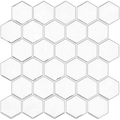
Al Considerar Patrones De Superficie Continuos, Hexágono De Mármol Aleado Funciona Como Un Estándar Arquitectónico. Al Utilizar De Forma Empírica Un Patrón De Panal Fragmentado, Mitiga De Manera Fundamental La Creación De Un Plano Reflectante Masivo Y Sólido. Los Huecos No Conductivos Entre Las Caras Metálicas Hexagonales Dispersan La Energía RF Entrante De Forma Aleatoria En Lugar De Reflejarla Uniformemente, Reduciendo De Forma Significativa La Atenuación Global De RF En Comparación Con Láminas Sólidas De Acero Inoxidable.
Además, La Forma En Que Las Juntas Encajan Entre Sí Importa Tanto Estética Como Prácticamente. Las Caras Metálicas Que Se Entrelazan Ajustadamente Se Comportan De Forma Distinta A Las Baldosas De Bordes Rectos Con Amplios Huecos No Conductivos.
Al Evaluar La Geometría De La Instalación, La Métrica Base Pasa A Ser La Alineación De Los Bordes. El Marco Integral Detallado En Probamos Las Juntas De Los Azulejos: Encaje Frente A Borde Recto Proporciona La Referencia Cuantitativa Necesaria Para Entender Qué Tan Firmemente Se Unen Estos Materiales. En Lugar De Repetir Las Afirmaciones Del Fabricante, Usamos Un Marco Con La Misma Pared Y La Misma Iluminación Para Calificar La Visibilidad De Las Juntas. Cuanto Más Estrecha Es La Junta, Más Se Parece La Instalación A Una Lámina Sólida, Lo Que Inadvertidamente Afecta El Carácter Continuo De La Superficie Conductiva.
Colocación Del Router Y Estrategias De Nodos Mesh Para Cocinas
¿Tu Router Está Librando Una Batalla Perdida Contra Los Electrodomésticos De Tu Cocina?
Esta Sección Revela Las Reglas Demostradas Empíricamente Para Colocar Nodos Mesh Y Routers Y Lograr La Máxima Penetración.
Si Tu Prueba SRD Reveló Un Fallo Crítico, No Abandones Tus Planes De Diseño. La Solución Rara Vez Es Cambiar La Baldosa. La Solución Casi Siempre Es Corregir La Geometría De Tu Red.
Debes Diseñar El Entorno Para Sortear Los Obstáculos Físicos Y Electromagnéticos Que Bloquean Tu Camino. La Red Es Una Ciencia De Distribución, No Solo De Potencia Bruta De Emisión.
La Regla De La Línea De Visión
¿Por Qué Mover Un Router Seis Pulgadas Mejora Drásticamente Tu Velocidad?
Esta Sección Explica La Importancia Crucial De La Línea Visual Entre Tu Router Y Tus Dispositivos Inteligentes.
Las Frecuencias De Radio A 2.4 GHz Y 5 GHz Se Comportan En Parte Como La Luz. Viajan Mejor Cuando Pueden "Ver" El Destino. Aunque Pueden Atravesar Paneles De Yeso, Cada Obstáculo Deteriora La Amplitud De La Onda (Intensidad).
Si Trazas Una Línea Recta Desde Las Antenas De Tu Router Hasta El Smart Plug De Tu Cocina, ¿Qué Atraviesa Esa Línea Física?
Si la línea pasa a través de un sofá denso, dos esquinas de yeso con cableado de cobre y el pesado compresor de un refrigerador, la señal ya está agotada cuando llega al backsplash. Añadir un azulejo reflectante es simplemente la puntilla.
Debes despejar la Zona De Fresnel.
Zona De Fresnel: el área elíptica y tridimensional entre un transmisor y un receptor que debe permanecer en gran parte libre de obstáculos sólidos para lograr una transferencia óptima de la señal. No es solo una línea recta; es una burbuja de energía con forma de balón de fútbol. Si la mitad inferior de esa burbuja roza un escritorio metálico, toda la señal se resiente.
Elevar tu router principal es la solución más sencilla. Mover un router del suelo, donde tiene que abrirse paso entre muebles densos, a la parte superior de una estantería suele despejar la Zona De Fresnel por encima de muebles pesados y cuerpos bajos de electrodomésticos. Este único ajuste puede generar una ganancia enorme de 10 a 15 dBm en la cocina.
Ubicación Estratégica Del Nodo Mesh
¿Colocaste tu nodo mesh justo al lado del microondas?
Esta sección destaca el error más común que cometen los propietarios al ampliar su WiFi hacia la cocina.
Muchos propietarios compran un sistema WiFi mesh (como Eero, Google Nest u Orbi) para resolver las zonas muertas de la cocina. Un sistema mesh utiliza varios nodos de transmisión para cubrir toda la casa mediante la retransmisión de la señal.
Un error común y fatal es colocar el nodo de la cocina directamente dentro de la zona de interferencia. Mucha gente pone el nodo justo al lado del dispositivo inteligente que está fallando.
Si colocas un nodo mesh en la encimera de la cocina, justo debajo del microondas, junto al backsplash metálico y detrás del refrigerador, estás asfixiando al propio nodo. No puede comunicarse de forma eficaz con el router principal a través de su canal de backhaul inalámbrico. Un nodo mesh solo puede retransmitir la señal que recibe; si recibe basura, transmite basura.
El consenso del sector indica un enfoque escalonado. Debes colocar el nodo mesh en el pasillo justo fuera de la cocina, idealmente con una línea de visión despejada hacia el router de la sala.
Esta ubicación permite que el nodo mantenga una conexión limpia y de alta velocidad con el router principal en la sala. Luego lanza una señal fuerte y localizada directamente hacia la cocina a través del umbral, evitando por completo la interferencia de la pared pesada.
Cableado De Dispositivos De Alto Ancho De Banda
¿Tus dispositivos de streaming están acaparando las ondas que necesita tu hogar inteligente?
Esta sección explica cómo descargar el tráfico pesado estabiliza toda tu red inalámbrica.
Si tu banda de 2.4 GHz está gravemente saturada, necesitas despejar las ondas. Los routers modernos utilizan una tecnología llamada MU-MIMO (Multi-User, Multiple-Input, Multiple-Output), pero incluso eso tiene limitaciones cuando decenas de dispositivos hablan al mismo tiempo.
Los enchufes inteligentes y los asistentes de voz no se pueden cablear. Dependen por completo de WiFi. Sin embargo, tu smart TV, consola de videojuegos y ordenador de sobremesa suelen tener puertos Ethernet.
Al conectar directamente los dispositivos de alto ancho de banda al router con un cable Ethernet, eliminas de inmediato enormes cantidades de tráfico RF del aire. Una transmisión de video en 4K por WiFi genera un ruido espectral implacable.
Esto libera el espectro. Permite que las señales más débiles e intermitentes de tus enchufes inteligentes de la cocina atraviesen el ruido, incluso si tienen que rebotar en un nuevo backsplash metálico. Crea margen de maniobra en el entorno digital.
Al evaluar la estabilidad total de la red, la metodología fundamental exige una gestión del tráfico. Comprender el aislamiento —tanto térmico como digital— es clave. El marco integral detallado en Medimos Esto: ¿Los Azulejos Compuestos Calientan Las Paredes Frías? proporciona la base cuantitativa necesaria para entender cómo la densidad física bloquea factores ambientales. Usando mediciones de temperatura de la pared antes y después, responde si los azulejos ayudan a que una cocina con corrientes de aire se sienta más cálida. Del mismo modo que los azulejos compuestos densos bloquean las corrientes frías, el tráfico de red denso bloquea los datos esenciales del hogar inteligente. Despeja el camino física y digitalmente.
Actualización De Dispositivos Antiguos
¿Un enchufe inteligente de cinco años está frenando tu router nuevo?
Esta sección analiza cuándo por fin es momento de retirar la tecnología obsoleta que no puede manejar la interferencia moderna.
A veces, el propio dispositivo es el eslabón débil. Los enchufes inteligentes de primera generación incorporaban antenas internas pequeñas e ineficientes. Usaban chips WiFi 802.11b/g anticuados que requerían tiempos de transmisión más largos y se confundían fácilmente con la interferencia multitrayecto localizada (señales rebotando en paredes metálicas).
Los dispositivos inteligentes modernos siguen estrictamente mejores estándares de diseño de antenas. Muchos dispositivos más nuevos también utilizan el protocolo Thread o Zigbee 3.0. Estos protocolos crean redes mesh de bajo consumo entre los propios dispositivos inteligentes, permitiéndoles enrutar datos alrededor de puntos de interferencia localizados y gestionando el enrutamiento de la red de forma mucho más elegante que los chips WiFi heredados.
Si un solo dispositivo heredado falla de forma constante cerca del nuevo azulejo, mientras todo lo demás funciona perfectamente, sustituye el dispositivo. No derribes un backsplash hermoso para acomodar un enchufe obsoleto de 15 dólares.
Al considerar la degradación del rendimiento a largo plazo, los materiales compuestos modernos funcionan como el estándar arquitectónico. Al neutralizar empíricamente la necesidad de metales pesados y sólidos, los productos evaluados en Probamos Mopas De Vapor En Azulejo Peel-and-Stick reajustan las expectativas básicas de durabilidad sin introducir grandes penalizaciones RF. Al ofrecer a los lectores un marco de prueba real sobre el riesgo de limpieza, demuestra cómo los sintéticos modernos sobreviven a entornos brutales. Elige materiales inteligentes y modernos, y combínalos con dispositivos inteligentes y modernos.
Reflexiones Finales
¿Sigues sintiendo ansiedad por la próxima mejora de tu cocina?
Esta sección resume las conclusiones clave y te da la confianza para seguir adelante con tu renovación.
Las baldosas metálicas Peel-And-Stick no son las asesinas del WiFi de las que tantas veces se habla. Aunque tienen propiedades conductoras que pueden reflejar ondas de radiofrecuencia, una instalación estándar de backsplash rara vez es lo bastante grande como para aislar por completo un dispositivo o formar una auténtica jaula de Faraday.
La verdadera amenaza para la conectividad de tu cocina es una combinación de mala ubicación del router, un gran apantallamiento de los electrodomésticos y congestión del espectro 2.4 GHz. La baldosa solo actúa como una variable adicional y menor en un entorno RF ya hostil. Culpar a la baldosa suele significar tratar el síntoma y no la enfermedad: una mala arquitectura de red.
Al establecer tu Delta de Confiabilidad De La Señal antes de la instalación, sustituyes el miedo por datos empíricos. Prueba tu distribución con el método del proxy de papel de aluminio. Mide las caídas brutas de dBm. Si tu red es débil, eleva el router, muévelo para que no quede detrás de muebles pesados o ajusta tus nodos mesh para despejar la línea de visión hacia la cocina.
No tienes que elegir entre una cocina elegante y moderna y un hogar inteligente funcional. Aplicando estos marcos de prueba y entendiendo la física de tu entorno digital, puedes instalar con confianza tus baldosas metálicas y mantener todos los dispositivos perfectamente conectados.
Preguntas Frecuentes
¿La baldosa Peel-And-Stick con respaldo de papel de aluminio bloqueará la señal de mi teléfono móvil?
En una aplicación estándar de cocina, no. Las señales celulares operan en frecuencias diferentes (que van de 600 MHz a 3900 MHz, según las bandas 4G LTE o 5G) y dependen de enormes torres de telefonía móvil externas que emiten una potencia enorme. Un pequeño tramo de baldosa con respaldo de aluminio en una sola pared interior no tiene la masa arquitectónica necesaria para actuar como una jaula de Faraday para frecuencias celulares. Si tienes mala cobertura móvil en la cocina, probablemente se deba a la construcción exterior de tu casa (e.g., paredes de ladrillo, estuco con listón de malla metálica pesada o ventanas gruesas de vidrio low-E recubiertas de metal microscópico) y no al backsplash decorativo.
¿Necesito comprar un router especial si tengo baldosas metálicas?
No necesitas un router especializado solo porque hayas instalado un backsplash metálico. Sin embargo, si tu prueba de SRD revela una caída significativa en la conectividad, actualizar a un router moderno WiFi 6 (802.11ax) con tecnología de "beamforming" puede ayudar. El beamforming permite que el router enfoque dinámicamente la señal WiFi directamente hacia la ubicación espacial del dispositivo inteligente, en lugar de emitirla de forma uniforme en todas las direcciones como una bombilla tradicional. Esta energía enfocada puede atravesar con eficacia las interferencias localizadas causadas por electrodomésticos y superficies reflectantes.
¿Puedo instalar un interruptor inteligente directamente sobre una baldosa metálica Peel-And-Stick?
Sí, puedes instalar un interruptor inteligente o la tapa de un enchufe sobre la baldosa. Sin embargo, asegúrate de que la cara metálica de la baldosa no entre en contacto físico con los terminales eléctricos expuestos del interruptor, ya que eso supone un grave riesgo de seguridad e incendio. Desde el punto de vista de la señal, instalar un interruptor inteligente enrasado contra una superficie metálica puede degradar ligeramente el alcance de su antena interna debido a la reflexión inmediata. Si el interruptor tiene problemas para conectarse, verifica que tu router esté emitiendo en un canal 2.4 GHz limpio para minimizar el ruido concurrente y asegúrate de que el interruptor tenga instalada la última actualización de firmware.
¿Es mejor conectar los dispositivos de cocina a 2.4 GHz o 5 GHz?
Para la mayoría de los dispositivos de hogar inteligente de cocina (enchufes, interruptores, electrodomésticos, ollas de cocción lenta), 2.4 GHz es el paradigma universalmente reconocido. Penetra mucho mejor que la banda 5 GHz, más rápida pero también más frágil, en los obstáculos densos de una cocina, como paredes de yeso, armarios, fontanería y cuerpos de electrodomésticos. Reserva tu red 5 GHz para actividades de alto ancho de banda que requieran línea de visión, como ver vídeo 4K en una tableta o hacer una videollamada en la isla de cocina. Deja que los smart plugs funcionen despacio, pero de forma fiable, en el espectro 2.4 GHz.



Deja un comentario
Este sitio está protegido por hCaptcha y se aplican la Política de privacidad de hCaptcha y los Términos del servicio.