





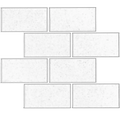
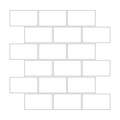


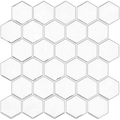
How this tile estimate works
The calculator converts your measurements into centimeters, divides each wall area by the configured Stickwoll tile size, rounds up to full rows and columns, and adds optional waste for trimming, edges, and mistakes.
Stickwoll tool
Plan your Stickwoll project before you order. Add one or more wall areas, include extra tiles for cuts, and see a practical estimate for individual tiles and packs.
The calculator converts your measurements into centimeters, divides each wall area by the configured Stickwoll tile size, rounds up to full rows and columns, and adds optional waste for trimming, edges, and mistakes.
Measure the visible surface, keep a few extra tiles for future repairs, and order all packs for one project at the same time to keep the finish consistent.
Yes. A small buffer helps cover cuts around cabinets, corners, outlets, and pattern alignment. The calculator includes a 10% waste option by default.
Measure the width and height of each rectangle you want to cover. If the wall has separate sections, add each section as a separate area in the calculator.
Yes. This page gives you a quantity estimate first, then you can choose the Stickwoll design that fits your room and order the closest pack quantity.
The calculator rounds each area up by full tile rows and columns, so the configured tile width and height affect the final count. Adjust the section settings if a future Stickwoll collection uses a different tile size.